YAHOO_003430
Important Notice About Your Yahoo! Mail Plus Account
Document YAHOO_003430 is an email sent to Yahoo! Mail Plus users regarding changes to the outgoing mail server (SMTP) settings.
The email informs users who access Yahoo! Mail Plus through external email clients like Microsoft Outlook or Apple Mail about recent upgrades to Yahoo's servers and the consequent need to update their SMTP settings. It addresses delays some users experienced and provides instructions on how to configure their email clients with the new server address. The email is signed by John Kremer, Vice President of Yahoo! Mail.
Key Highlights
- •The email notifies Yahoo! Mail Plus users about changes to SMTP settings due to server upgrades.
- •John Kremer, Vice President of Yahoo! Mail, is the sender of the email.
- •The document provides instructions on how to update SMTP settings for external email clients like Microsoft Outlook and Apple Mail.
Frequently Asked Questions
Books for Further Reading

Perversion of Justice
Julie K. Brown
Investigative journalism that broke the case open

Perversion of Justice: The Jeffrey Epstein Story
Julie K. Brown
Investigative journalism that broke the Epstein case open

Filthy Rich: The Jeffrey Epstein Story
James Patterson
Bestselling account of Epstein's crimes and network
Document Information
Bates Range
YAHOO_003430
Pages
1
Source
DDoSecrets Yahoo Emails
Date
March 1, 2008
From
Yahoo! Mail <[email protected]>
To
None <[email protected]>
Original Filename
20080229-Important Notice About Your Yahoo! Mail Plus Accou-6791.eml
File Size
2.57 KB
Document Content
Page 1 - YAHOO_003430
Dear Yahoo! Mail Plus user, We have important news for Yahoo! Mail Plus subscribers who are currently using our "POP" feature to send messages via external email clients such as Microsoft Outlook, Outlook Express, Thunderbird, Apple Mail, etc. (also called "SMTP access"). If you are accessing your Yahoo! Mail Plus exclusively through our Web interface, this message does not apply to you. Recently, we saw an unexpected increase in traffic through the servers dedicated to sending Yahoo! Mail Plus POP/SMTP messages. As a result, some users have experienced varying delays in the delivery of Yahoo! Mail messages sent via external email clients. We understand that this has been frustrating, and sincerely apologize for the inconvenience. WHAT HAS CHANGED? We have recently installed new servers to improve the performance of Yahoo! Mail Plus SMTP access. We have spent the last several days upgrading our hardware and restructuring the allocation of bandwidth for these servers. We are confident these changes will resolve the recent problems and increase our system's reliability. Because of these improvements, the settings for your outgoing mail server (SMTP) should change. WHAT DO I NEED TO DO? To ensure that your email client is properly configured to access the new outgoing mail servers (SMTP), please follow these brief steps: 1. Sign in to your Yahoo! Mail Plus account 2. Go to "Mail Options" --> "POP access" --> "View POP settings" 3. Review the updated settings in "POP Access Settings" 4. If needed, set your email client to the new server: plus.smtp.mail.yahoo.com Or follow these detailed instructions to update your Mail Plus SMTP settings: http://yahoo-email.com/a/tBHyOGzBPQv4VB0on4KB02Hu03j/pop Please check the Yahoo! Mail Blog at http://yahoo-email.com/a/tBHyOGzBPQv4VB0on4KB02Hu03j/blog for frequent updates on this and many other Yahoo! Mail topics. We deeply value and appreciate your continued business. Thank you, John Kremer Vice President, Yahoo! Mail ********************************************************************* Please do not reply to this message. This is a service email related to your use of Yahoo! Mail. To learn more about Yahoo!'s use of personal information, including the use of web beacons in HTML-based email, please read our Privacy Policy. Yahoo! is located at 701 First Avenue, Sunnyvale, CA 94089. Go to web beacons: http://yahoo-email.com/a/tBHyOGzBPQv4VB0on4KB02Hu03j/beacons Go to Privacy Policy: http://yahoo-email.com/a/tBHyOGzBPQv4VB0on4KB02Hu03j/privacy ********************************************************************* RefID: lp-1015895
Entities Mentioned
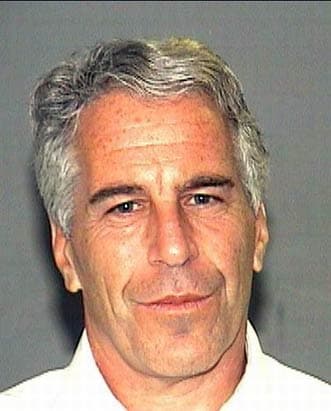
Jeffrey Epstein
PERSON • 2 mentions
American sex offender and financier (1953–2019)
JK
John Kremer
PERSON
Name reference in documents
YM
Yahoo! Mail
PERSON
Person referenced in documents
Microsoft Outlook
ORGANIZATION
Organization referenced in documents
Outlook Express
ORGANIZATION
Organization referenced in documents
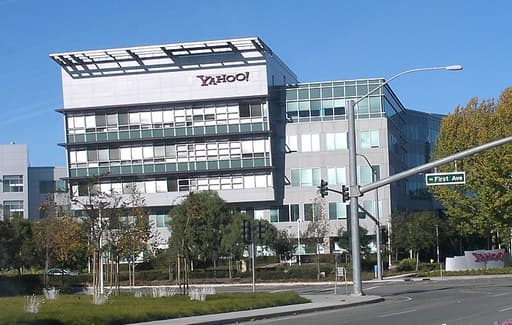
Yahoo
ORGANIZATION • 8 mentions
Web portal and search engine

Sunnyvale
LOCATION
City in Santa Clara County, California, United States
Statistics
Pages:1
Entities:7
Avg. OCR:1.0%
Sponsored