Back to Network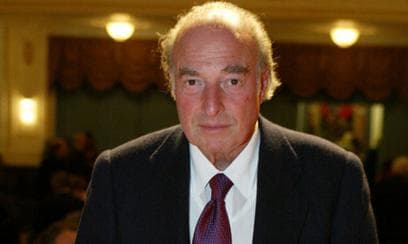



3
Shared Docs
3
Same-Page
3 / 3
Mentions
Document Mentions (3 shared documents)
2 mentions1 same-page
Page ?Same page
n a menu. Choose "OPEN WITH." A new dialog box will open. Look for applications that do Imaging. The most common are "Imaging", "Imaging Preview", "Microsoft Imaging", "Kodak Imaging" and Microsoft Office Document Imaging." Single click on your choice and also click on the check box which says, "Always use this p
log box will open. Look for applications that do Imaging. The most common are "Imaging", "Imaging Preview", "Microsoft Imaging", "Kodak Imaging" and Microsoft Office Document Imaging." Single click on your choice and also click on the check box which says, "Always use this program to open these files." This will set the program
2 mentions1 same-page
Page ?Same page
menu. Choose "OPEN WITH." A new dialog box will open. Look for applications that do Imaging. The most common are "Imaging", "Imaging Preview", "Microsoft Imaging", "Kodak Imaging" and Microsoft Office Document Imaging." Single click on your choice and also click on the check box which says, "Always use this
og box will open. Look for applications that do Imaging. The most common are "Imaging", "Imaging Preview", "Microsoft Imaging", "Kodak Imaging" and Microsoft Office Document Imaging." Single click on your choice and also click on the check box which says, "Always use this program to open these files." This will set the progra
2 mentions1 same-page
Page ?Same page
n a menu. Choose "OPEN WITH." A new dialog box will open. Look for applications that do Imaging. The most common are "Imaging", "Imaging Preview", "Microsoft Imaging", "Kodak Imaging" and Microsoft Office Document Imaging." Single click on your choice and also click on the check box which says, "Always use this
og box will open. Look for applications that do Imaging. The most common are "Imaging", "Imaging Preview", "Microsoft Imaging", "Kodak Imaging" and Microsoft Office Document Imaging." Single click on your choice and also click on the check box which says, "Always use this program to open these files." This will set the program a
Sponsored
Mutual Connections (52)
Entities connected to both Microsoft Imaging and Microsoft Office Document Imaging
Overland Park
LOCATION3 w/ Microsoft·3 w/ Microsoft
Microsoft Word/Works
ORGANIZATION3 w/ Microsoft·3 w/ Microsoft
SPREADSHEET
ORGANIZATION3 w/ Microsoft·3 w/ Microsoft
My Computer
ORGANIZATION3 w/ Microsoft·3 w/ Microsoft
Kodak Imaging
ORGANIZATION3 w/ Microsoft·3 w/ Microsoft
the Sprint Subpoena Compliance Department
ORGANIZATION3 w/ Microsoft·3 w/ Microsoft
Marc Rich
PERSON3 w/ Microsoft·3 w/ Microsoft
Sprint
ORGANIZATION3 w/ Microsoft·3 w/ Microsoft
Deerfield Beach
LOCATION2 w/ Microsoft·2 w/ Microsoft
Springfield
LOCATION2 w/ Microsoft·2 w/ Microsoft
Lucent
ORGANIZATION2 w/ Microsoft·2 w/ Microsoft
Reston
LOCATION2 w/ Microsoft·2 w/ Microsoft
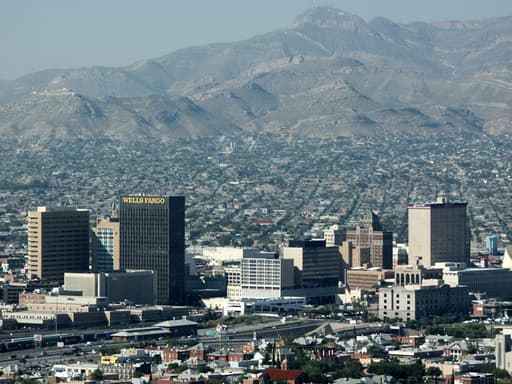
El Paso
LOCATION2 w/ Microsoft·2 w/ Microsoft
Davenport
LOCATION2 w/ Microsoft·2 w/ Microsoft
Eastern
LOCATION2 w/ Microsoft·2 w/ Microsoft
Gateway
LOCATION2 w/ Microsoft·2 w/ Microsoft
Tacoma
LOCATION2 w/ Microsoft·2 w/ Microsoft
NA
Navigate
PERSON2 w/ Microsoft·2 w/ Microsoft
Fresno
LOCATION2 w/ Microsoft·2 w/ Microsoft
Norcross
LOCATION2 w/ Microsoft·2 w/ Microsoft