Back to Network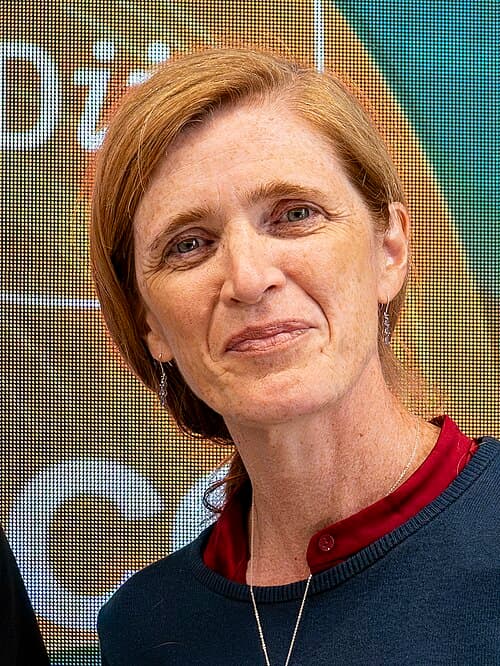
3
Shared Docs
3
Same-Page
3 / 3
Mentions
Document Mentions (3 shared documents)
2 mentions1 same-page
Page ?Same page
Mac OS X 10.4 or later) Control-Option-F7 or fn-Control-option-F7 Display VoiceOver menu (Mac OS X 10.4 or later) Control-Option-; Enable/disable VoiceOver Control-Option lock (Mac OS X 10.4 or later) or fn-Control-option-; The Universal Access preference pane allows you to turn on Mouse Keys. When Mouse Keys is on,
or external disk) Start up from a CD that has a system folder Attempt to start up from a compatible network server (NetBoot) Start up in FireWire Target Disk mode start up in Safe Boot mode and temporarily disable login items and non-essential kernel extension files (Mac OS X 10.2 and later) Start up in
2 mentions1 same-page
Page ?Same page
Mac OS X 10.4 or later) Control-Option-F7 or fn-Control-option-F7 Display VoiceOver menu (Mac OS X 10.4 or later) Control-Option-; Enable/disable VoiceOver Control-Option lock (Mac OS X 10.4 or later) or fn-Control-option-; The Universal Access preference pane allows you to turn on Mouse Keys. When Mouse Keys is on,
or external disk) Start up from a CD that has a system folder Attempt to start up from a compatible network server (NetBoot) Start up in FireWire Target Disk mode start up in Safe Boot mode and temporarily disable login items and non-essential kernel extension files (Mac OS X 10.2 and later) Start up in
2 mentions1 same-page
Page ?Same page
Mac OS X 10.4 or later) Control-Option-F7 or fn-Control-option-F7 Display VoiceOver menu (Mac OS X 10.4 or later) Control-Option-; Enable/disable VoiceOver Control-Option lock (Mac OS X 10.4 or later) or fn-Control-option-; The Universal Access preference pane allows you to turn on Mouse Keys. When Mouse Keys is on,
or external disk) Start up from a CD that has a system folder Attempt to start up from a compatible network server (NetBoot) Start up in FireWire Target Disk mode start up in Safe Boot mode and temporarily disable login items and non-essential kernel extension files (Mac OS X 10.2 and later) Start up in
Sponsored
Mutual Connections (28)
Entities connected to both VoiceOver Control-Option and Target Disk
LB
Leon Black
PERSON3 w/ VoiceOver·3 w/ Target
Samantha Power
PERSON3 w/ VoiceOver·3 w/ Target
Force Mac
ORGANIZATION3 w/ VoiceOver·3 w/ Target
Press Option-Command-Shift
ORGANIZATION3 w/ VoiceOver·3 w/ Target
Press C
ORGANIZATION3 w/ VoiceOver·3 w/ Target
Press Shift
ORGANIZATION3 w/ VoiceOver·3 w/ Target
Press Command-V
ORGANIZATION3 w/ VoiceOver·3 w/ Target
Option-Command
ORGANIZATION3 w/ VoiceOver·3 w/ Target
Finder Menu
ORGANIZATION3 w/ VoiceOver·3 w/ Target
Command-Space
ORGANIZATION3 w/ VoiceOver·3 w/ Target
Universal Access
ORGANIZATION3 w/ VoiceOver·3 w/ Target
Control-Option-Command-`
ORGANIZATION3 w/ VoiceOver·3 w/ Target
Control-F4
ORGANIZATION3 w/ VoiceOver·3 w/ Target
fn-Command
ORGANIZATION3 w/ VoiceOver·3 w/ Target
fn-Control-Option-F8
ORGANIZATION3 w/ VoiceOver·3 w/ Target
Control-Up
ORGANIZATION3 w/ VoiceOver·3 w/ Target
Control-Command
ORGANIZATION3 w/ VoiceOver·3 w/ Target
Option-Command-Eject
ORGANIZATION3 w/ VoiceOver·3 w/ Target
Finder
ORGANIZATION3 w/ VoiceOver·3 w/ Target
PowerBook
ORGANIZATION3 w/ VoiceOver·3 w/ Target