Back to Network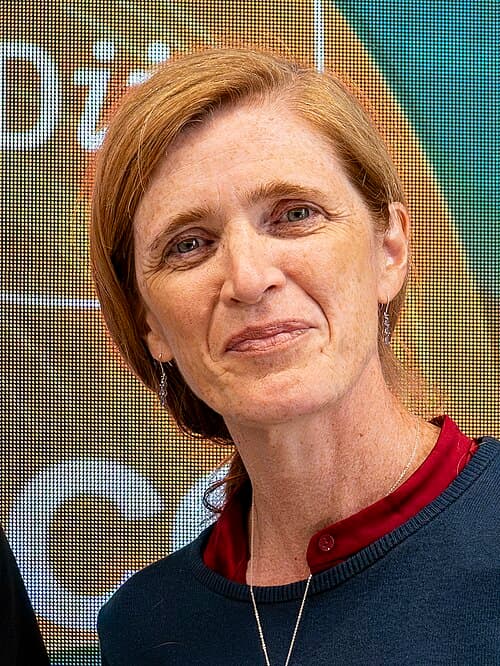
3
Shared Docs
3
Same-Page
3 / 3
Mentions
Document Mentions (3 shared documents)
2 mentions1 same-page
Page ?Same page
board shortcuts. Startup Keystroke Description Press X during startup Force Mac OS X startup Press Option-Command-Shift-Delete during startup Press C during startup Press N during startup Press T during startup Press Shift during startup Press Command-V during startup Bypass primary startup vo
Option-Command-- (minus) Control-Option-Command-` (asterisk) Control-Ft Control-F2 Control-F3 Control-F4 Control-F S Control-F6 Command-FS or fn-Command-F5 Zoom in Zoom out Switch to White on Black Turn on Full Keyboard Access When Full Keyboard Access is turned on, you can use the key combinati
2 mentions1 same-page
Page ?Same page
board shortcuts. Startup Keystroke Description Press X during startup Force Mac OS X startup Press Option-Command-Shift-Delete during startup Press C during startup Press N during startup Press T during startup Press Shift during startup Press Command-V during startup Bypass primary startup vo
Option-Command-- (minus) Control-Option-Command-` (asterisk) Control-Ft Control-F2 Control-F3 Control-F4 Control-F S Control-F6 Command-FS or fn-Command-F5 Zoom in Zoom out Switch to White on Black Turn on Full Keyboard Access When Full Keyboard Access is turned on, you can use the key combinati
2 mentions1 same-page
Page ?Same page
board shortcuts. Startup Keystroke Description Press X during startup Force Mac OS X startup Press Option-Command-Shift-Delete during startup Press C during startup Press N during startup Press T during startup Press Shift during startup Press Command-V during startup Bypass primary startup vo
Option-Command-- (minus) Control-Option-Command-` (asterisk) Control-Ft Control-F2 Control-F3 Control-F4 Control-F S Control-F6 Command-FS or fn-Command-F5 Zoom in Zoom out Switch to White on Black Turn on Full Keyboard Access When Full Keyboard Access is turned on, you can use the key combinati
Sponsored
Mutual Connections (28)
Entities connected to both Press C and fn-Command
LB
Leon Black
PERSON3 w/ Press·3 w/ fn-Command
Samantha Power
PERSON3 w/ Press·3 w/ fn-Command
Force Mac
ORGANIZATION3 w/ Press·3 w/ fn-Command
Press Option-Command-Shift
ORGANIZATION3 w/ Press·3 w/ fn-Command
Press Shift
ORGANIZATION3 w/ Press·3 w/ fn-Command
Press Command-V
ORGANIZATION3 w/ Press·3 w/ fn-Command
Option-Command
ORGANIZATION3 w/ Press·3 w/ fn-Command
Finder Menu
ORGANIZATION3 w/ Press·3 w/ fn-Command
Command-Space
ORGANIZATION3 w/ Press·3 w/ fn-Command
Universal Access
ORGANIZATION3 w/ Press·3 w/ fn-Command
Control-Option-Command-`
ORGANIZATION3 w/ Press·3 w/ fn-Command
Control-F4
ORGANIZATION3 w/ Press·3 w/ fn-Command
fn-Control-Option-F8
ORGANIZATION3 w/ Press·3 w/ fn-Command
VoiceOver Control-Option
ORGANIZATION3 w/ Press·3 w/ fn-Command
Control-Up
ORGANIZATION3 w/ Press·3 w/ fn-Command
Control-Command
ORGANIZATION3 w/ Press·3 w/ fn-Command
Option-Command-Eject
ORGANIZATION3 w/ Press·3 w/ fn-Command
Finder
ORGANIZATION3 w/ Press·3 w/ fn-Command
PowerBook
ORGANIZATION3 w/ Press·3 w/ fn-Command
kmosx3
ORGANIZATION3 w/ Press·3 w/ fn-Command